PixeLeap uses AI to sharpen blurry or low-quality photos and restore old images. It also offers crease repair, colorization, photo scanning, and age-changing filters.
Something wrong with AI Photo Enhancer & PixeLeap v1.0.9.2 MOD APK? Tell us what happened so we can review it.
App information
Details for this app
Version1.0.9.2
Size85.5 MB
CategoryPhotography
DeveloperVIDEOSHOW Video Editor & Maker & AI Chat Generator
Views11
Last updatedNov 13, 2026
Description
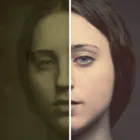
AI Photo Enhancer & PixeLeap is a photo restoration app for improving blurry, pixelated, or damaged images. Its AI super-resolution and unblur tools sharpen photos, while crease repair can address scratches, folds, and other physical defects. The listing describes these restoration tools as powered by Nano Banana Pro (Gemini 3 Pro Image).
You can scan an old photo or choose one from your gallery. The scanner detects image borders, rotates sideways photos, and crops them; the app also offers colorization, free cropping and rotation, age-changing filters, and animated face scans.
Key Features
AI tools for sharpening, unblurring, and enhancing low-quality photos Restore old images with crease and scratch repair, plus colorization Scan photos with border detection, rotation, and cropping Apply filters for younger or older appearances Create expressive face animations with Dynamic Face Scan
How to InstallStep-by-step installation guide
Follow these steps to install the app on your Android device.
Download the APK file from the download page.
If Android blocks the installation, open your device settings and allow your browser or file manager to install unknown apps.
Open the downloaded APK file and tap Install.
When installation finishes, open the app. You can turn off unknown-app installation permission afterward.
Screenshots
8 images
Recommended Apps for You
Discover more useful apps like AI Photo Enhancer & PixeLeap
 Picsart AI Photo Editor, Video
 Video Editor & Maker - InShot
 Meitu
 Facelab - Selfie Face Editor
 VSCO: Photo Editor
 Gallery Vault