Artisan: Cartoon Photo Editor & Art Photo Filters v1.0.18 MOD APK app icon
Loading...

Artisan: Cartoon Photo Editor & Art Photo Filters v1.0.18 MOD APK

Prometheus Interactive LLC

AppPREMIUM

Artisan turns photos and selfies into cartoons, caricatures, and vector-style artwork. It also offers artistic filters, camera effects, and tools for customizing images with backgrounds and layouts.

Download APK

App information

Details for this app

Version1.0.18
Size19.4 MB
CategoryPhotography
DeveloperPrometheus Interactive LLC
Views9
Last updatedNov 12, 2026

Description

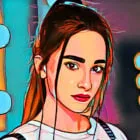
Artisan: Cartoon Photo Editor & Art Photo Filters transforms photos and selfies into cartoon-style images, caricatures, and vector-style artwork. Choose from cartoon effects and detailed toon filters to give portraits a comic-inspired look or create a profile picture.

The editor also includes pencil-sketch, oil-painting, and drip effects. Use camera mode for real-time selfie effects, or personalize artwork with photo backgrounds and layouts. The APKVision listing also notes that finished images can be shared on social networks.

How to InstallStep-by-step installation guide

Follow these steps to install the app on your Android device.

  1. Download the APK file from the download page.
  2. If Android blocks the installation, open your device settings and allow your browser or file manager to install unknown apps.
  3. Open the downloaded APK file and tap Install.
  4. When installation finishes, open the app. You can turn off unknown-app installation permission afterward.

Screenshots

8 images