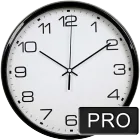
A customizable analog clock live wallpaper that displays the time on your screen and is designed to use less battery than many live wallpapers. Choose clock faces and backgrounds, then adjust the clock’s size and position.
Details for this app
Battery Saving Analog Clocks Live Wallpaper Pro puts an adjustable analog clock on your phone or tablet screen. It includes five clock faces—White, Black, Roman, Rome transparent and Digital—and five backgrounds. Additional clock faces can be installed as plugins through the settings.
Customize the clock’s size and position, choose how the seconds hand moves, and display the date. The wallpaper also includes quick settings and an alarm launcher. It supports portrait and landscape orientations on phones and tablets.
The wallpaper redraws the clock at most once per second when the seconds hand is enabled, or once per minute when it is disabled, and uses resources only while visible. Options include a frame-rate limit, texture quality and a seconds-hand timeout. OpenGL ES 2.0 is required.
Five built-in clock faces and five backgrounds
Install additional clock faces as plugins
Adjust clock size and position; choose ticking, flowing or disabled seconds-hand modes
Optional date display, quick settings and alarm launcher
Battery-use controls include frame-rate limit, texture quality and seconds-hand timeout
Follow these steps to install the app on your Android device.
8 images
 hyperion launcher
 Smart Launcher 6 ‧ Home Screen
 Pear Launcher
 Niagara Launcher ‧ Home Screen
 Zedge™ Wallpapers & Ringtones
 Video Live Wallpapers