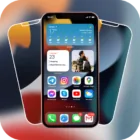
iLauncher personalizes your phone with themes, wallpapers, customizable widgets, and app icons. It also offers home-screen layout options and a lock screen with passcode or pattern support.
Details for this app
Launcher iOS15 – iLauncher is a personalization launcher with themes, wallpaper and app icon customization. It lets you adjust the home-screen grid, enable endless scrolling, show or hide the search bar, customize folder views, and hide apps from the launcher’s Home screen.
Create widgets in styles including calendar, photo, battery, weather, clock and contacts. The launcher also includes a Quick Bar for recently used apps, with options to add shortcuts and apps to the search bar. Its lock screen supports passcode and pattern locks.
Customize the home-screen grid, scrolling, search bar and folder view
Hide apps from the launcher’s Home screen
Create widgets in calendar, photo, battery, weather, clock and contacts styles
Use a Quick Bar for recently accessed apps and customize search-bar shortcuts
Set up a lock screen with passcode or pattern support
Follow these steps to install the app on your Android device.
6 images
 hyperion launcher
 Smart Launcher 6 ‧ Home Screen
 Pear Launcher
 Niagara Launcher ‧ Home Screen
 Zedge™ Wallpapers & Ringtones
 Video Live Wallpapers