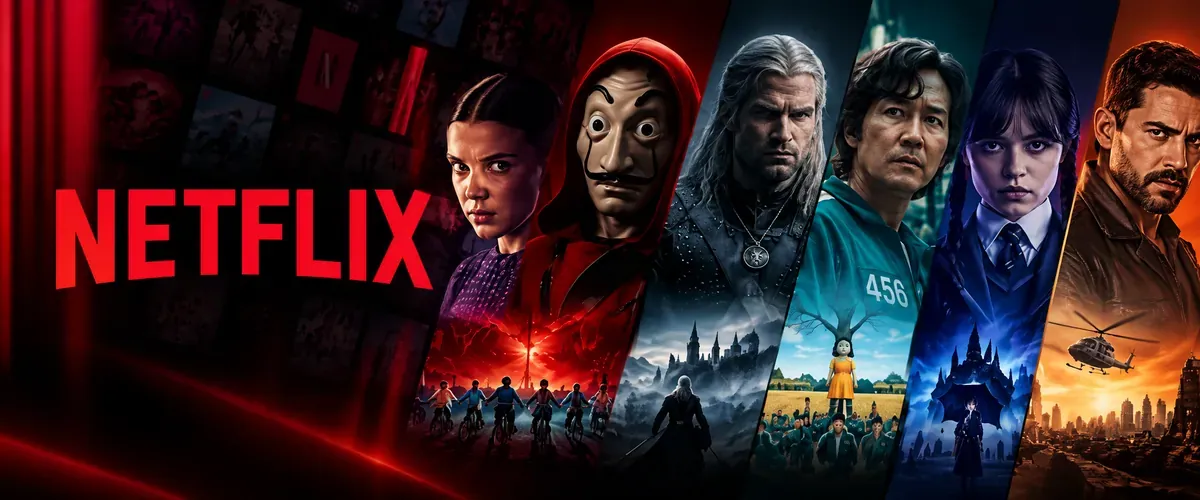
Netflix brings movies, series, live events, podcasts, and games together in one entertainment app. Explore personalized recommendations, discover upcoming releases, and keep your favorite content organized with My Netflix.
Something wrong with Netflix v9.87.1 MOD APK Premium Unlocked, Subscription, 4K HDR? Tell us what happened so we can review it.
App information
Details for this app
Version9.83.0
Size15.4 MB
CategoryEntertainment
DeveloperNetflix, Inc.
Views135
Last updatedOct 18, 2026
Description
Netflix is a subscription-based entertainment app from Netflix, Inc. that brings a wide selection of movies, television series, live events, podcasts, and games to your mobile device. Browse available entertainment, discover new releases, and keep up with the shows and content you enjoy. Discover Something to Watch Explore movies and series from different genres and regions, including award-winning productions and widely discussed titles. An upcoming clips feed also offers another way to discover content you may want to watch next. Personalized Recommendations Netflix uses your ratings to tailor recommendations to your interests. You can also receive notifications about new releases, upcoming episodes, and live events, helping you keep track of entertainment that matters to you. Keep Your Favorites Organized The My Netflix tab brings together your saved titles and other viewing-related selections. Add content to My List so you can return to it later, while convenient bottom navigation shortcuts make it easier to browse or revisit favorites. Entertainment on the Go Use the mobile app while traveling, commuting, or taking a break to explore Netflix's available entertainment. The app includes movies, series, live events, podcasts, and games in one place. Subscription Information Netflix requires a subscription. Membership is billed on a month-to-month basis, and the supplied listing states that members can cancel online at any time without long-term contracts or cancellation fees. Available content and subscription options may vary by region and plan.
Premium Unlocked, Unlimited Watching Screen, No Account Required 4K Quality, HDR, Support Tablet, TV Completely free, no ads, no banner Supports subtitles in all languages
How to InstallStep-by-step installation guide
Follow these steps to install the app on your Android device.
Download the APK file from the download page.
If Android blocks the installation, open your device settings and allow your browser or file manager to install unknown apps.
Open the downloaded APK file and tap Install.
When installation finishes, open the app. You can turn off unknown-app installation permission afterward.
 Loklok:HD Movie&TV
 BiliBili -HD Anime, Videos
 DramaBox - Stream Drama Shorts
 iDrama – Short Dramas & Reels
 NetShort - Popular Dramas & TV
 Viu: Dramas, TV Shows & Movies