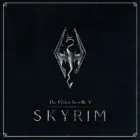
The Elder Scrolls V: Skyrim is an open-world RPG set in Tamriel, where you play as the Dragonborn amid the return of ancient dragons. Explore varied locations, take on quests, and shape your character’s path through the world.
Details for this game
Set across the fantasy world of Tamriel, The Elder Scrolls V: Skyrim casts you as the Dragonborn, a hero facing the return of ancient dragons. Travel through mountain landscapes, forests, cities, ruins, and dungeons as you uncover quests and stories throughout Skyrim.
Create a character, choose how to approach quests, and develop skills with weapons, spells, and other abilities. You can join factions and decide what kind of character to become, while your choices and encounters shape your journey.
Explore locations including mountains, forests, cities, ruins, and dungeons; Create a character and choose a path through quests; Develop skills and use weapons, spells, and abilities; Join factions and shape your character’s role; Encounter characters and creatures and make decisions that affect your journey
Download and install the Skyrim Android APK. Prepare your original Skyrim (2011) PC game files, preferably Steam version 1.9.32.0.8. Make sure you have the following files: TESV.exe TESV_unpacked.exe d3dx9_42.dll (32-bit) binkw32.dll X3DAudio1_7.dll (32-bit) Data folder Create a folder named Skyrim in your Android device’s internal storage and copy all the required files into it. Do not use the Android/data directory. Keep your existing Skyrim folder and saves. Folder names and an APKVISION.ORG.txt information file no longer block launch in this fixed version. Open the APK, tap Choose Skyrim folder, select your Skyrim folder, and grant the required permissions. Wait until the launcher verifies the files and displays Ready. For better performance, start with low graphics settings, 480p or 540p resolution, and antialiasing disabled. Tap Play to launch the game. ⚠️ Notes: TESV_unpacked.exe must be prepared from a compatible original executable. The developer recommends Steamless for removing SteamStub protection. The required DirectX DLL files can be obtained from Microsoft DirectX June 2010. On Android 11+, you may need to enable All files access permission. Show more Download and install the Skyrim Android APK. Prepare your original Skyrim (2011) PC game files, preferably Steam version 1.9.32.0.8. Make sure you have the following files: TESV.exe TESV_unpacked.exe d3dx9_42.dll (32-bit) binkw32.dll X3DAudio1_7.dll (32-bit) Data folder Create a folder named Skyrim in your Android device’s internal storage and copy all the required files into it. Do not use the Android/data directory. Keep your existing Skyrim folder and saves. Folder names and an APKVISION.ORG.txt information file no longer block launch in this fixed version. Open the APK, tap Choose Skyrim folder, select your Skyrim folder, and grant the required permissions. Wait until the launcher verifies the files and displays Ready. For better performance, start with low graphics settings, 480p or 540p resolution, and antialiasing disabled. Tap Play to launch the game. ⚠️ Notes: TESV_unpacked.exe must be prepared from a compatible original executable. The developer recommends Steamless for removing SteamStub protection. The required DirectX DLL files can be obtained from Microsoft DirectX June 2010. On Android 11+, you may need to enable All files access permission.
2 images
 Roblox
 Starbound
 Ninja warrior: legend of adven
 Dark Riddle 3 - Strange Hill
 FAITH: The Unholy Trinity
 Pocket Mirror GoldenerTraum