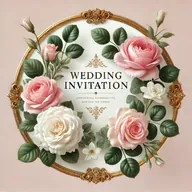
Wedding Invitation Card Maker lets you create personalized wedding invitations and save-the-date cards using customizable templates, stylish fonts, colors, and your own photos. Design cards that match your wedding theme and share them with friends and family.
Something wrong with Wedding Invitation Card Maker v13.1.4 MOD APK (Premium Unlocked)? Tell us what happened so we can review it.
App information
Details for this app
Version13.1.4
Size29.1 MB
CategoryEvents
DeveloperDOSA Apps
Views48
Last updatedOct 11, 2026
Description
Wedding Invitation Card Maker is a card design app from DOSA Apps that helps you create personalized invitations for weddings and save-the-date announcements. Choose a ready-made template, customize its details, and create a design that reflects your special day. Customizable Wedding Invitation Templates Explore different invitation styles, including classic, minimalist, traditional, modern, and romantic designs. Templates include decorative elements such as floral frames, banners, and cake illustrations, giving you different ways to personalize your invitation. Personalize Names, Dates, and Colors Adjust the names, wedding date, colors, and other card details to suit your preferences. Choose from available fonts and color combinations to create an invitation that fits your wedding theme. Add Your Own Photos Make your design more personal by adding photos of you and your partner. You can also adjust photo opacity to use an image as part of the card's background. Create and Share Your Cards Use the available design tools to prepare wedding invitations and save-the-date cards for your guests. Once your design is ready, share it with friends and family. Whether you're planning an elegant celebration, a traditional ceremony, or a modern wedding, Wedding Invitation Card Maker provides templates and personalization options to help you create your own invitation designs.
 Easy Quran Mp3 Audio Offline
 Tinder Dating App: Chat & Date
 Netflix
 Loklok:HD Movie&TV
 ePSXe
 GameBase Lite - one emulator